Who is this guide for?
The building manager who wants to give a particular role in his building (e.g., the accountant, the guard or the dwelling) is additionally competent, or prevents him from having a hypothetical power — only within this building without affecting other buildings.
Before you begin
- Select the correct building from the top of the page.
- The amendment here is about Role (cluster) Completely, all the users who carry this role in your building.
Steps
- From the side menu, open Settings ← Building permissions.
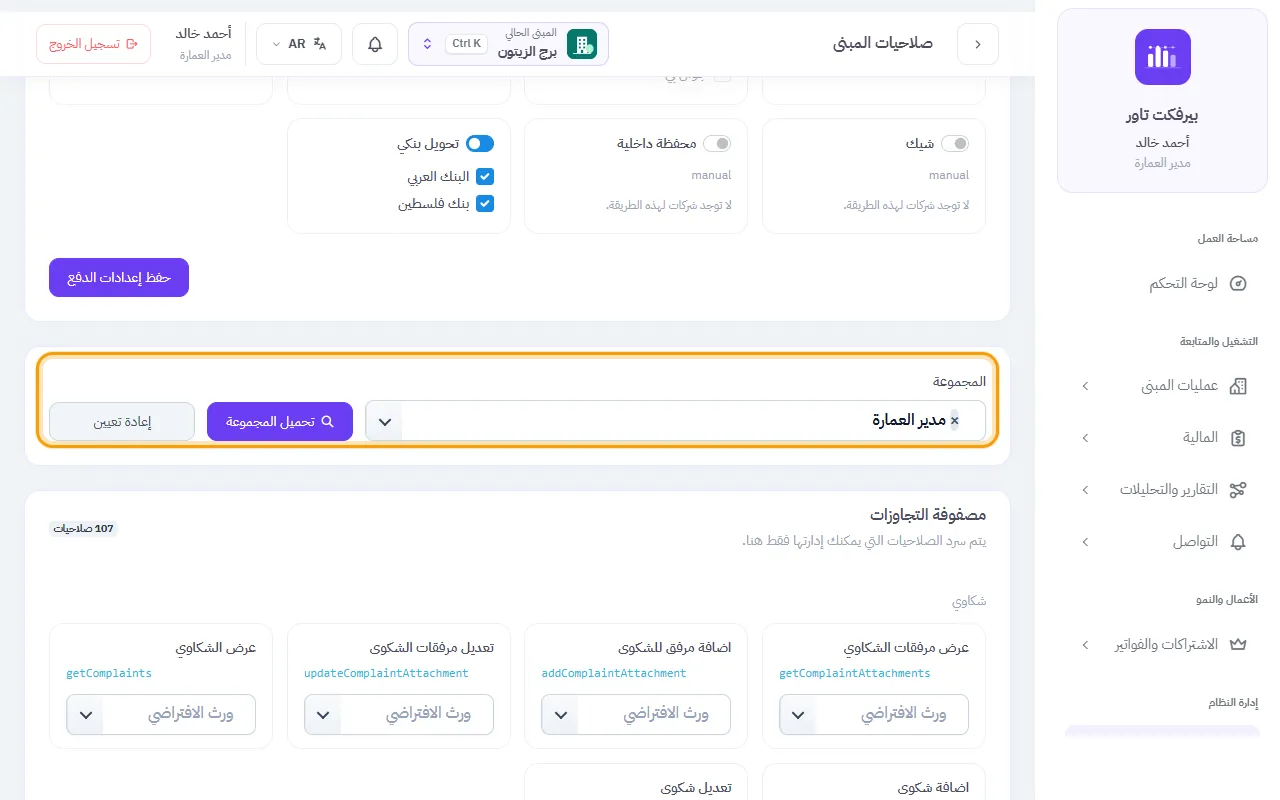
- Get down to the part where it's got a field Group Choose the role you want to adjust, then press Downloading of the group.
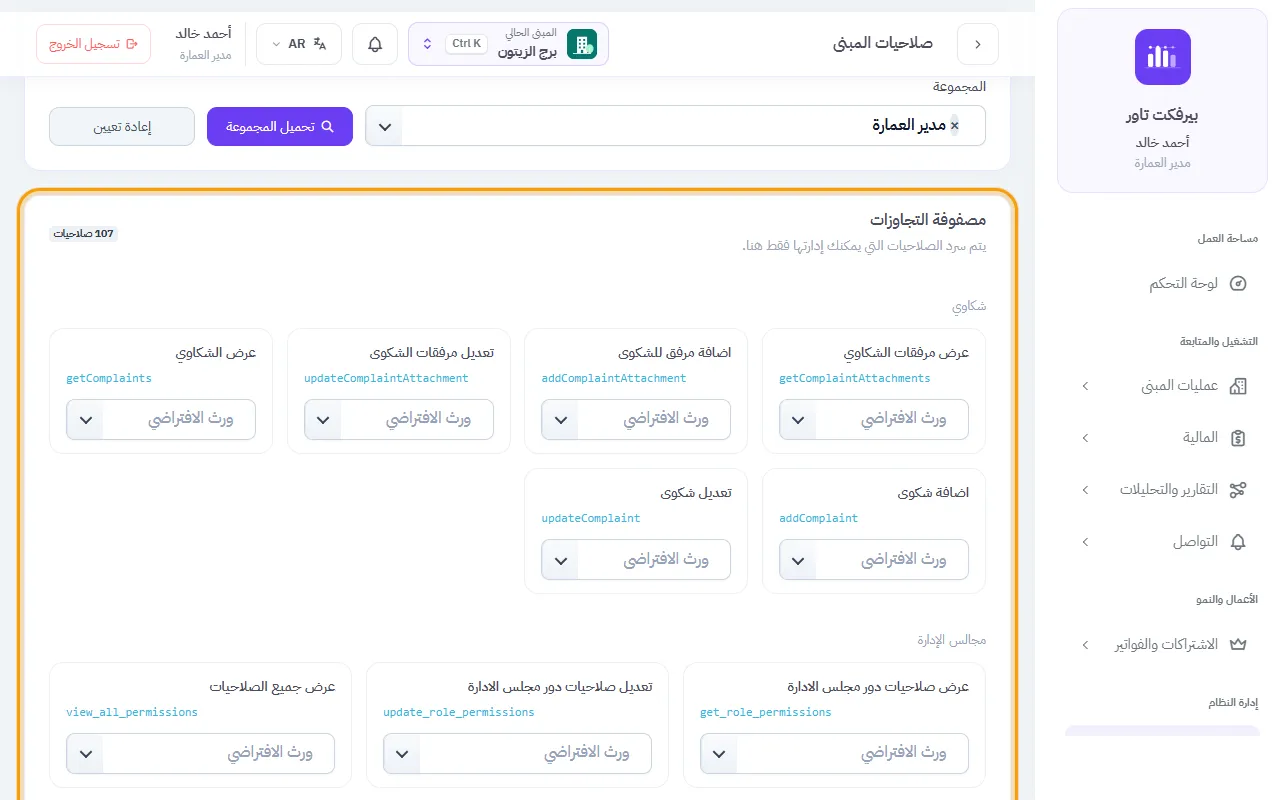
- The Excess matrix divided by sections of the system, each name and short description with three options:
- Virtual legacy: The preparation remains as in the system.
- A crookThe role gets this power in your building even if it's not hypothetical.
- NoRemove authority from the role in your building.
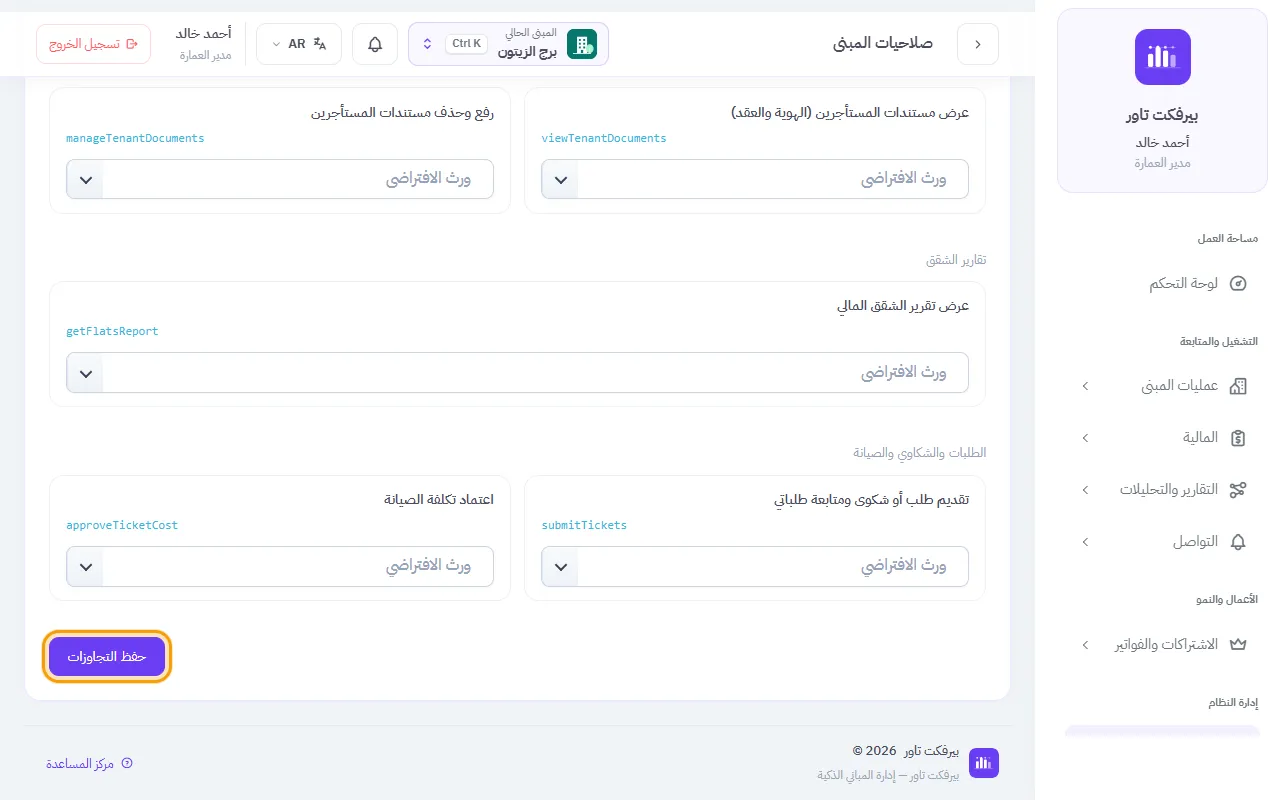
- Example: To prevent the role of the " guard " from seeing the invoices, choose No Besides the billing authority.
- Click Preservation of excesses.
Result
A success message emerges, and change is applied to all users of this role in the current building when they are open to pages or applications.
Important notes
- Show you only the powers you have; you can't give a role you don't have.
- It appears on a list Group The roles actually used in your building are only.
- If you refuse the authority of the building to administer your role, you cannot return to this page.
- The Reappointment Reloads the page only and does not wipe the overload; cancels the transgression Virtual legacy window and save.
- section Building payment methods The top of the same page is for payment methods (see explanation of payment methods).
-
1Step 1
من القائمة الجانبية افتح الإعدادات ← صلاحيات المبنى، وانزل إلى الجزء الذي يحتوي حقل المجموعة. اختر الدور الذي تريد تعديله، ثم اضغط تحميل المجموعة.
-
2Step 2
تظهر مصفوفة التجاوزات مقسّمة حسب أقسام النظام. لكل صلاحية اسمها ووصف قصير وقائمة فيها: ورث الافتراضي (كما في النظام)، سماح (يحصل الدور عليها في مبناك)، رفض (تُسحب من الدور في مبناك).
-
3Step 3
مثال: لتمنع دوراً من رؤية الفواتير اختر رفض بجانب صلاحية عرض الفواتير، ثم اضغط حفظ التجاوزات. يُطبَّق التغيير على كل مستخدمي هذا الدور في المبنى الحالي. لإلغاء تجاوز أعده إلى ورث الافتراضي واحفظ.