Who is this guide for?
For the building manager who wants to establish contract installments in advance, such as when the tenant hands you backdated checks on signing day.
Before you begin
- The apartment must have an effective lease contract, and a fund in the same currency as the contract.
- Registering checks requires the authority to manage checks.
Steps
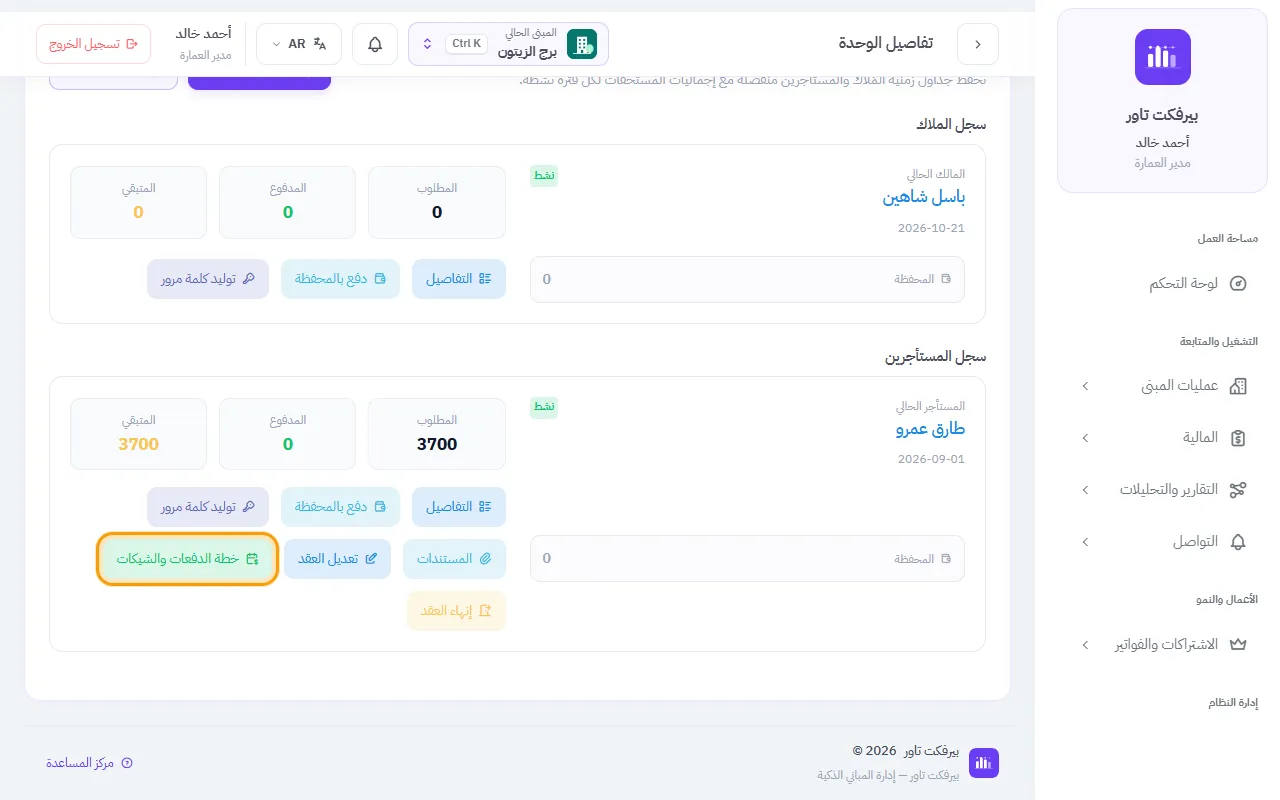
- Open the apartment page ← Ownership and Rent.
- On the current tenant's card press Plan payments and checks.
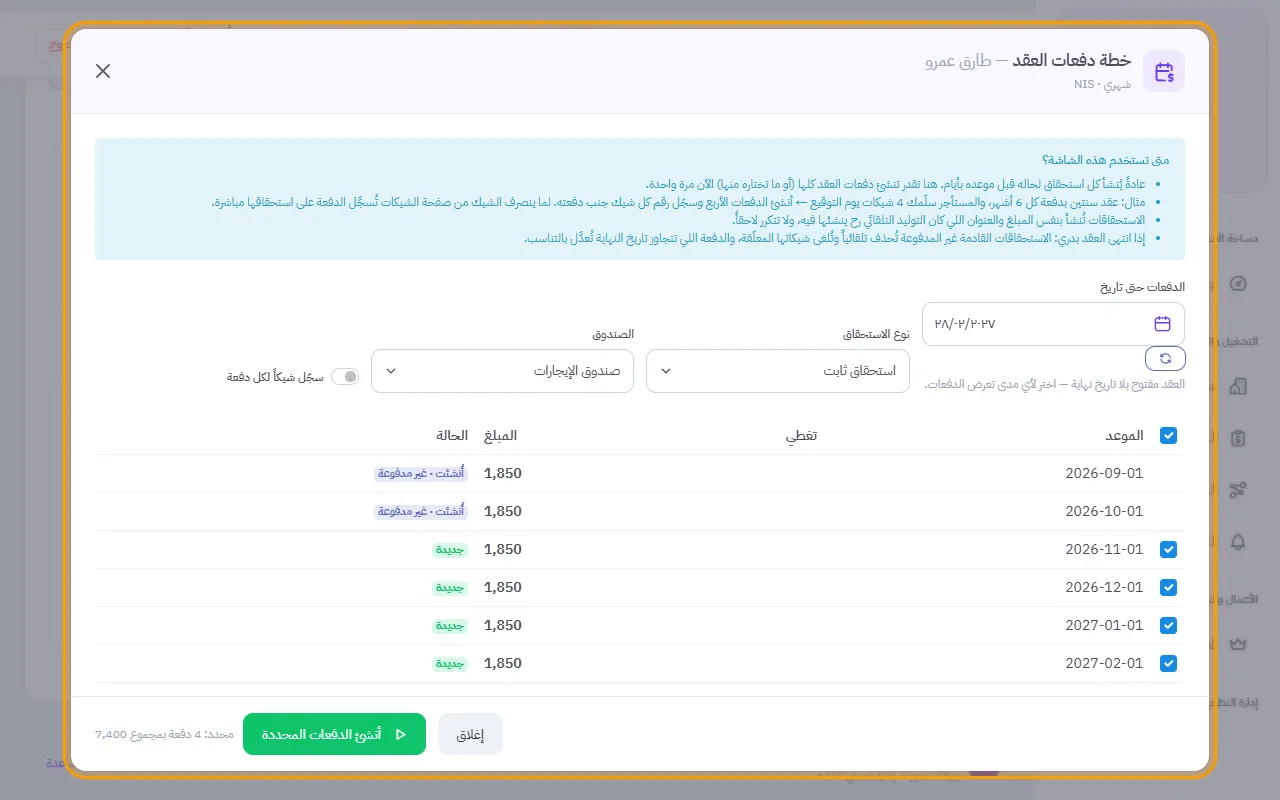
- In the Contract payments plan window, if the contract has no end date, select payments to date and press the Update button.
- Choose charge type and fund.
- Select the payments you want to create from the table (appointment, cover, amount, status).
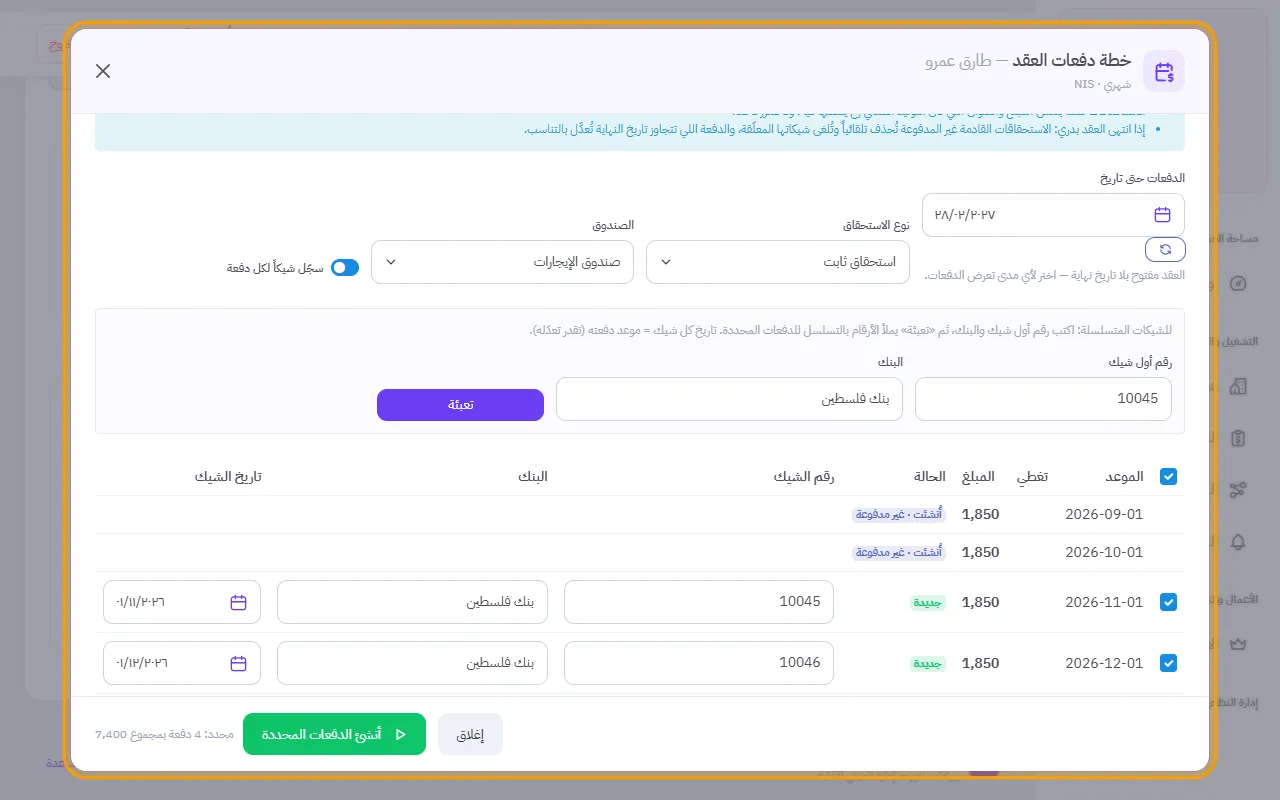
- For checks, enable Record check for each payment, then type the first check number and bank and press Fill to number the checks sequentially. The date of each check = the date you paid and can be modified.
- Click Create the selected payments and confirm.
Result
A message appears with the number of dues and checks generated, and the payments status changes to Created. When a check is paid from the checks page, the payment is recorded directly on the charge.
Important notes
- Dues are generated with the same amount and address as the auto-generation would have generated them, and are not repeated later.
- Status: New, Overdue — Not Created, Created, Paid, Partially Paid, Unpaid.
- If the contract ends early, upcoming unpaid dues are deleted and pending checks are cancelled.
- If the button does not appear, you do not have permission — contact your building manager.
-
1Step 1
افتح صفحة الشقة ← تبويب الملكية والإيجار، وعلى بطاقة المستأجر الحالي اضغط خطة الدفعات والشيكات — مثلاً عندما يسلّمك المستأجر شيكات مؤجلة يوم التوقيع.
-
2Step 2
في نافذة خطة دفعات العقد: إذا كان العقد بلا تاريخ نهاية اختر الدفعات حتى تاريخ ثم زر التحديث، واختر نوع الاستحقاق والصندوق. يظهر جدول الدفعات: الموعد، ما تغطيه، المبلغ، والحالة.
-
3Step 3
حدّد الدفعات التي تريد إنشاءها. للشيكات فعّل سجّل شيكاً لكل دفعة، واكتب رقم أول شيك والبنك ثم اضغط تعبئة لترقيم الشيكات بالتسلسل (تاريخ كل شيك = موعد دفعته). ثم اضغط أنشئ الدفعات المحددة وأكّد.
Who is this guide for?
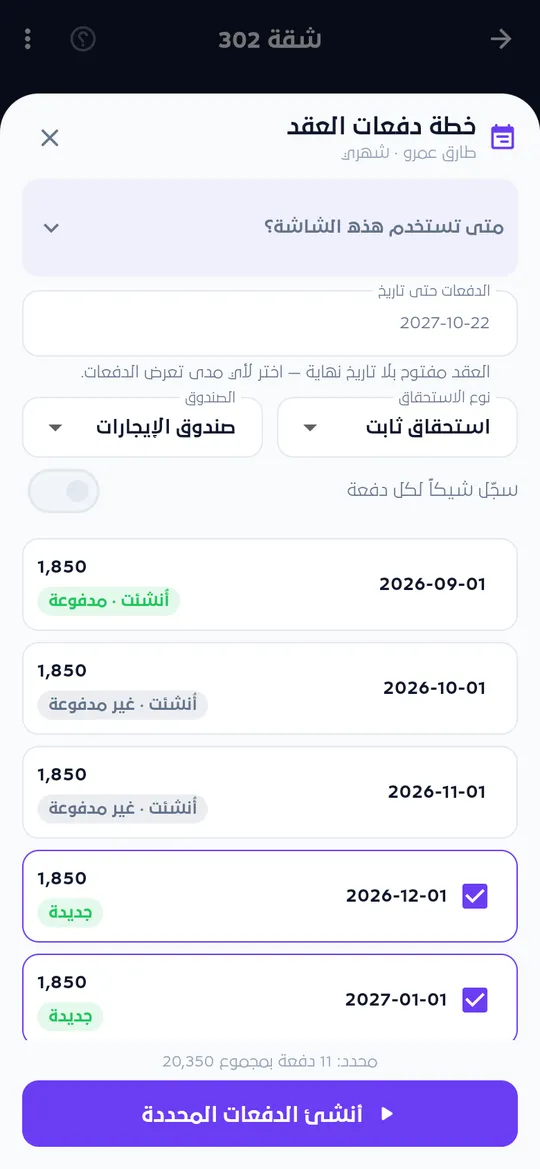
For the building manager who wants to create contract installments in advance with mobile checks.
Steps
- From Units Open the apartment ← Property.
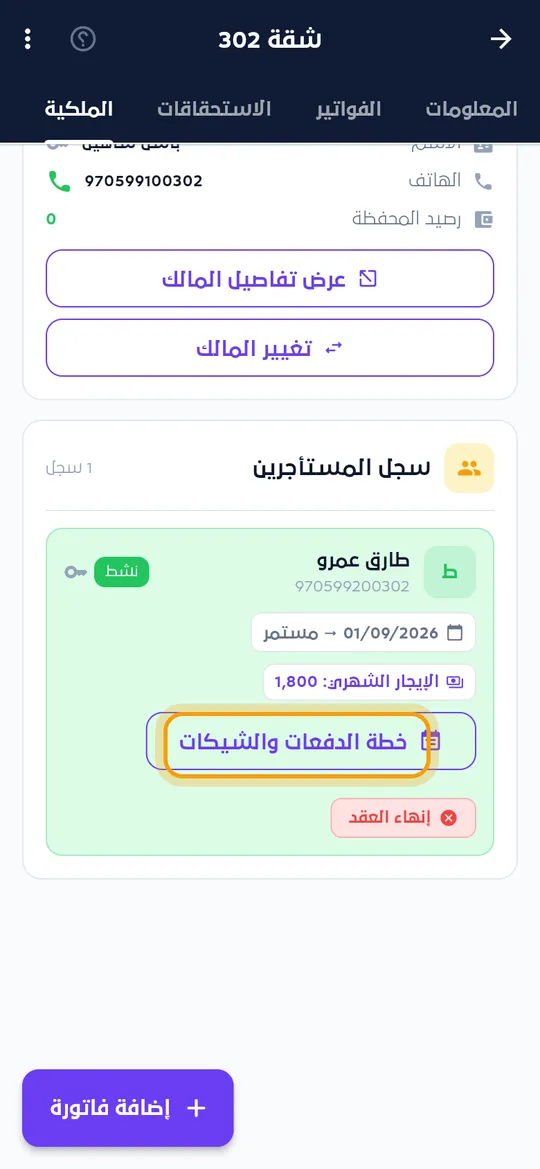
- In Tenant Registry tap Payment Plan and Checks on the current tenant's card.
- In Contract Payment Plan choose Payments To Date if the contract is open, then Accrual Type and Fund.
- Select the required payments.
- For checks, activate Register a check for each payment, write the number of the first check and the bank then Fill, and modify any number or date if necessary.
- Click Create the selected payments and confirm.
Result
A message appears with the number of charges and checks created, and the charges appear in the Charges tab for the apartment.
Important notes
- If “There is no fund in this contract’s currency” appears, create a fund in the same currency first.
- “This check is already registered in this building” means that the check number is used; Change it.
- The button is only visible to an active contract and to those with permission to create charges.
-
1Step 1
من الوحدات افتح الشقة ← تبويب الملكية، وفي سجل المستأجرين اضغط خطة الدفعات والشيكات على بطاقة المستأجر الحالي.
-
2Step 2
اختر الدفعات حتى تاريخ إذا كان العقد مفتوحاً، ثم نوع الاستحقاق والصندوق، وحدّد الدفعات. للشيكات فعّل سجّل شيكاً لكل دفعة واكتب رقم أول شيك والبنك ثم تعبئة. ثم أنشئ الدفعات المحددة وأكّد.