Who is this guide for?
For the building manager when the dashboard is opened (the building).
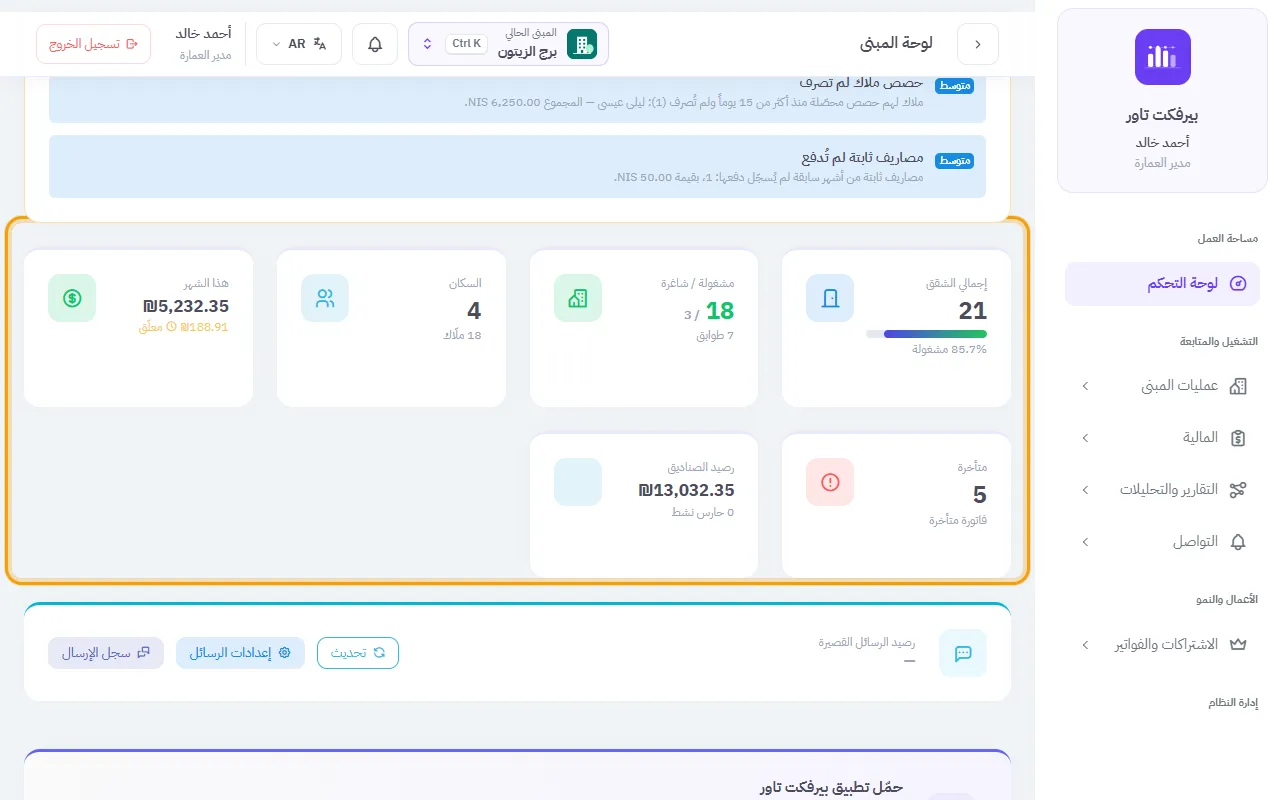
Number cards at the top
- Total Apartments: Number of apartments, percentage of occupancy, and number of floors.
- residents: The number of registered residents and the number of owners.
- This month: What was collected during the current month and is still pending.
- Overdue: The number of overdue invoices and dues.
- Funds balance: The total funds balance in the building (and the number of currencies if there is more than one).
Other Sections
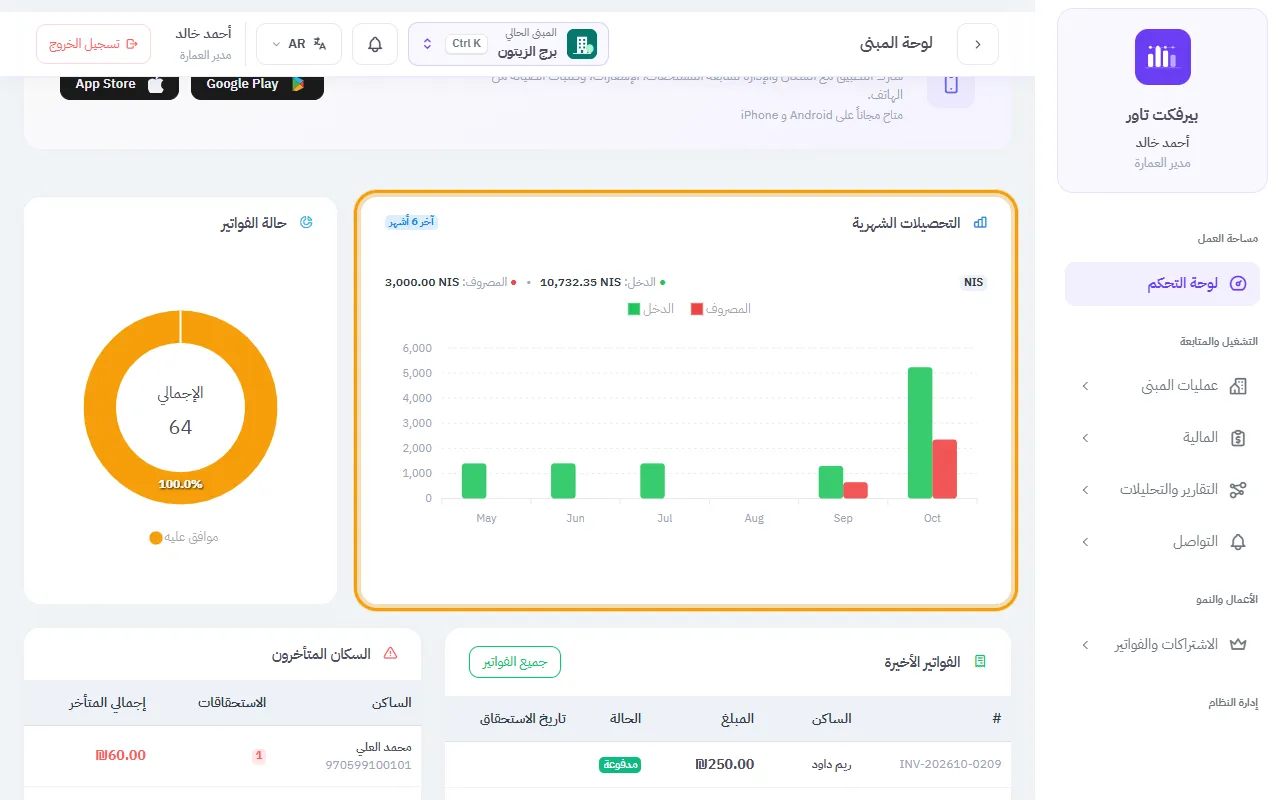
- Monthly collections and Billing status: collection trend graphs.
- Funds: The balance of each individual fund.
- delinquent residents: those who owe amounts in arrears with the total of arrears.
- Recent Invoices and Active Guards.
- SMS credit balance with Message history and Message settings.
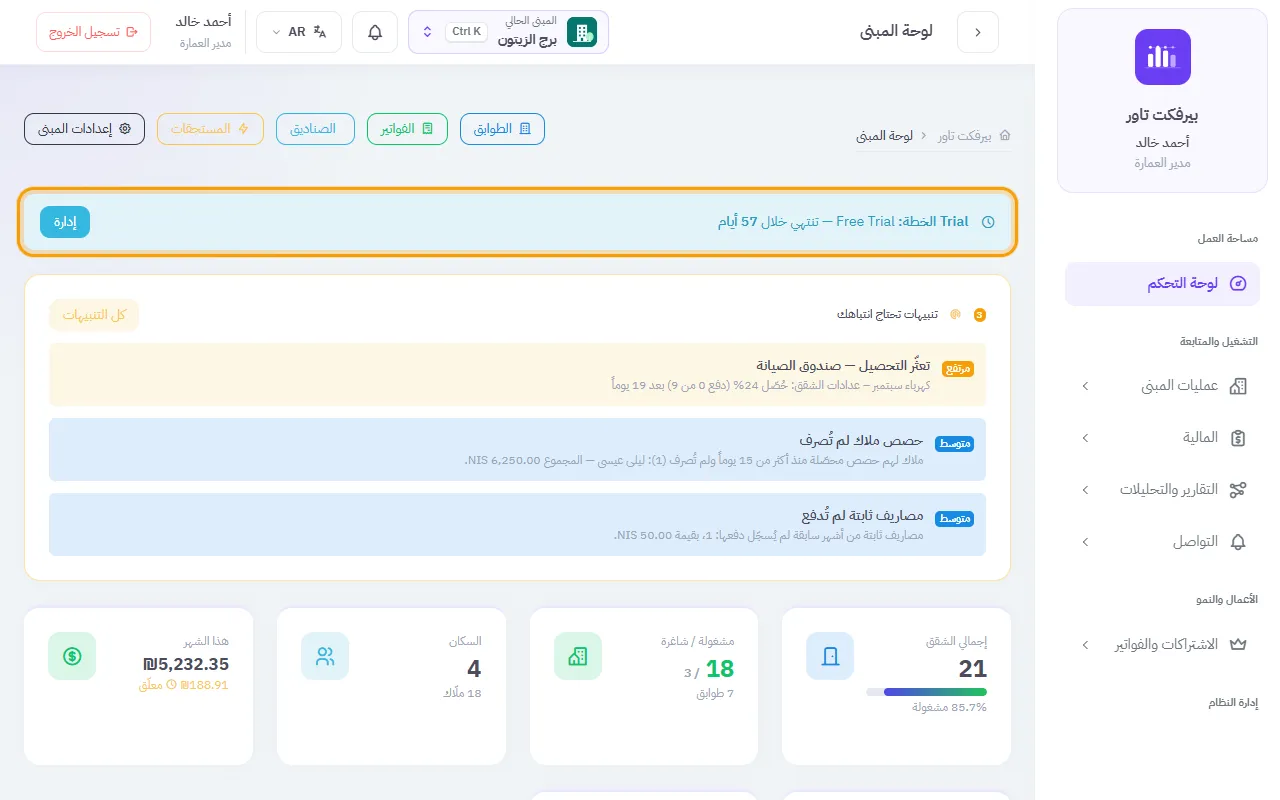
- Subscription card: Plan: and expiry date with Manage.
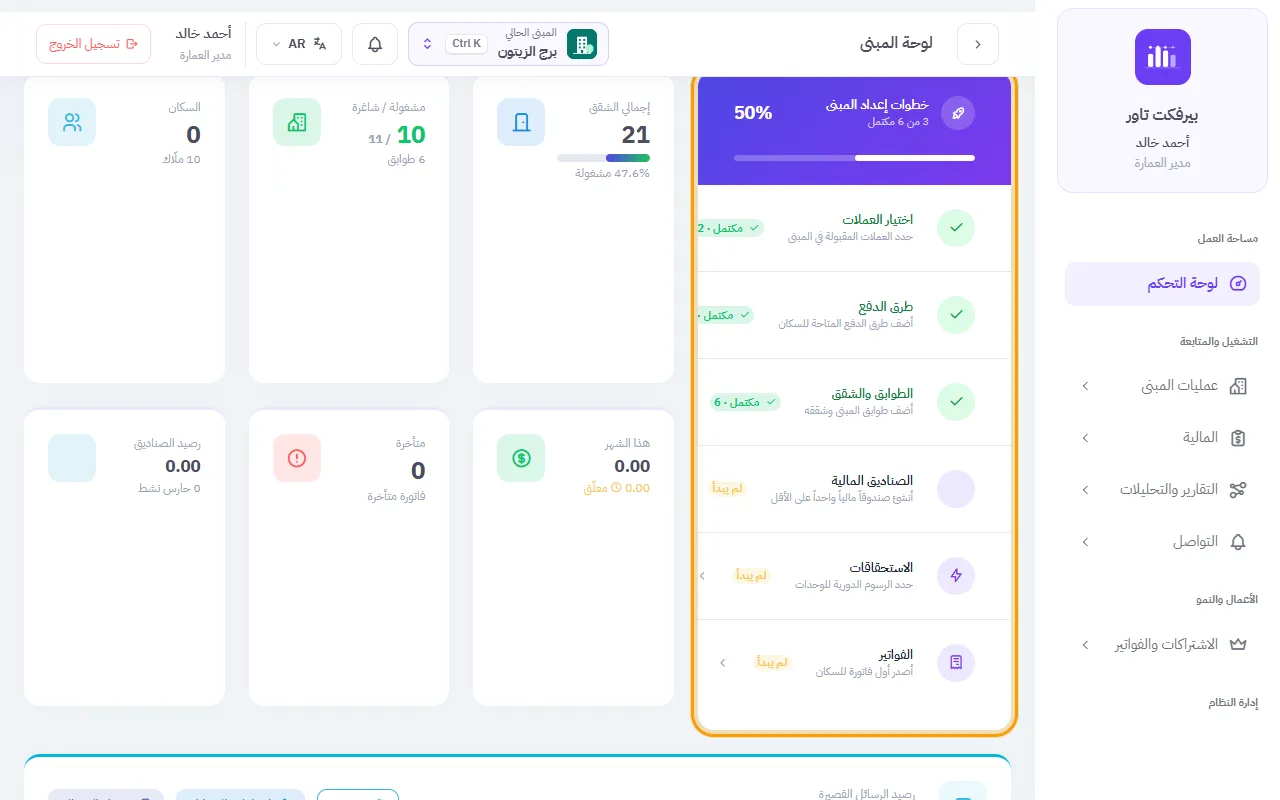
- Building Setup Steps: Displayed until the initial setup is complete.
Important notes
- When there is more than one currency, the amounts are displayed according to each currency, and the approximate total is calculated at the exchange rates in building currencies.
- Click Refresh to reload the numbers.
-
1Step 1
بطاقات الأرقام في الأعلى: إجمالي الشقق ونسبة المشغول، ومشغولة / شاغرة وعدد الطوابق، والسكان وعدد الملاك، وهذا الشهر (المحصّل والمعلّق)، ومتأخرة، ورصيد الصناديق.
-
2Step 2
خطوات إعداد المبنى: تظهر حتى يكتمل الإعداد الأولي، مع نسبة الإنجاز وحالة كل خطوة.
-
3Step 3
بطاقة الاشتراك: الخطة وتاريخ الانتهاء مع زر إدارة.
-
4Step 4
في الأسفل: التحصيلات الشهرية وحالة الفواتير (رسوم بيانية)، وأرصدة الصناديق، والسكان المتأخرون، والفواتير الأخيرة والحراس النشطون، ورصيد الرسائل القصيرة. عند وجود أكثر من عملة تُعرض المبالغ حسب كل عملة.
Who is this guide for?
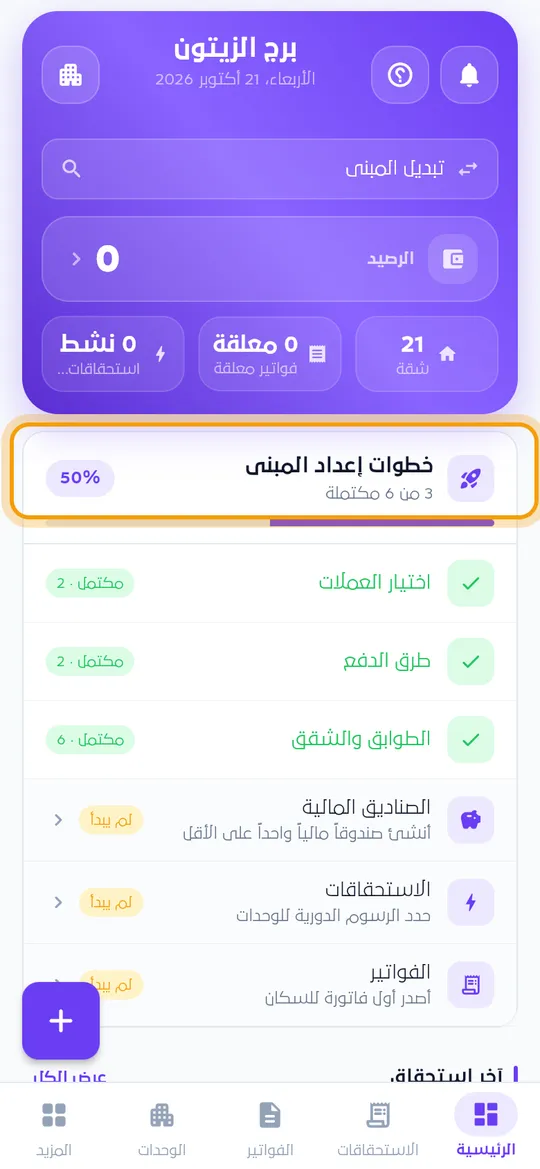
For the building manager when opening the Home tab in the application.
What do the cards mean?
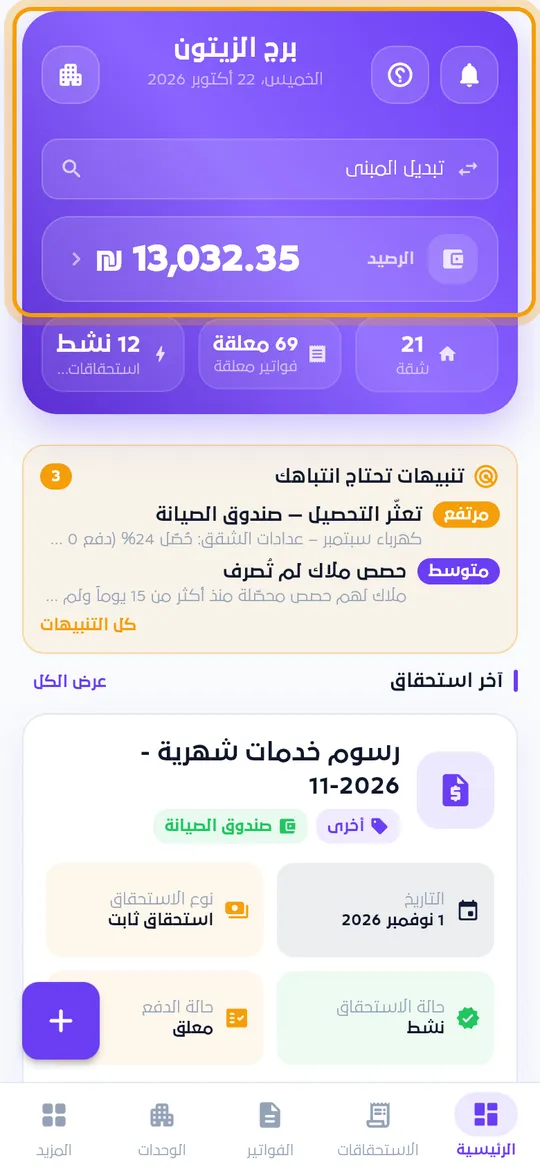
- Page header: building name and date, with bell for notifications and building toggle button.
- Last charge: The last charge created with the percentage of what was charged. Click View All to open Dues
- Total Apartments: Number of apartments and how many of them are occupied.
- Pending invoices: The number of unpaid amounts and their total.
- Funds balance: The total and number of funds balances. Click to open funds.
- Dues Active: The number of dues that are still open.
- Revenues vs Expenses: Revenues, expenses, and outstanding amounts.
- Occupancy: occupied versus vacant.
- Latest invoices and Latest complaints: Latest transactions with View all.
Important notes
- Click on any card to open its screen.
- If the building has more than one currency you can open a breakdown of the balance by currency.
- Drag the screen down to update the numbers.
-
1Step 1
رأس الرئيسية: اسم المبنى والتاريخ، مع الجرس للإشعارات وزر تبديل المبنى، والرصيد (مجموع أرصدة الصناديق — اضغط لفتحها)، وعدد الشقق والفواتير المعلقة والاستحقاقات النشطة.
-
2Step 2
خطوات إعداد المبنى تظهر حتى يكتمل الإعداد. وتحتها: آخر استحقاق مع نسبة التحصيل، والإيرادات مقابل المصروفات، والإشغال، وآخر الفواتير والشكاوى. اضغط على أي بطاقة لفتح شاشتها، واسحب للأسفل لتحديث الأرقام.