Who is this guide for?
To the building manager when the tenant leaves the apartment and his contract ends.
Steps
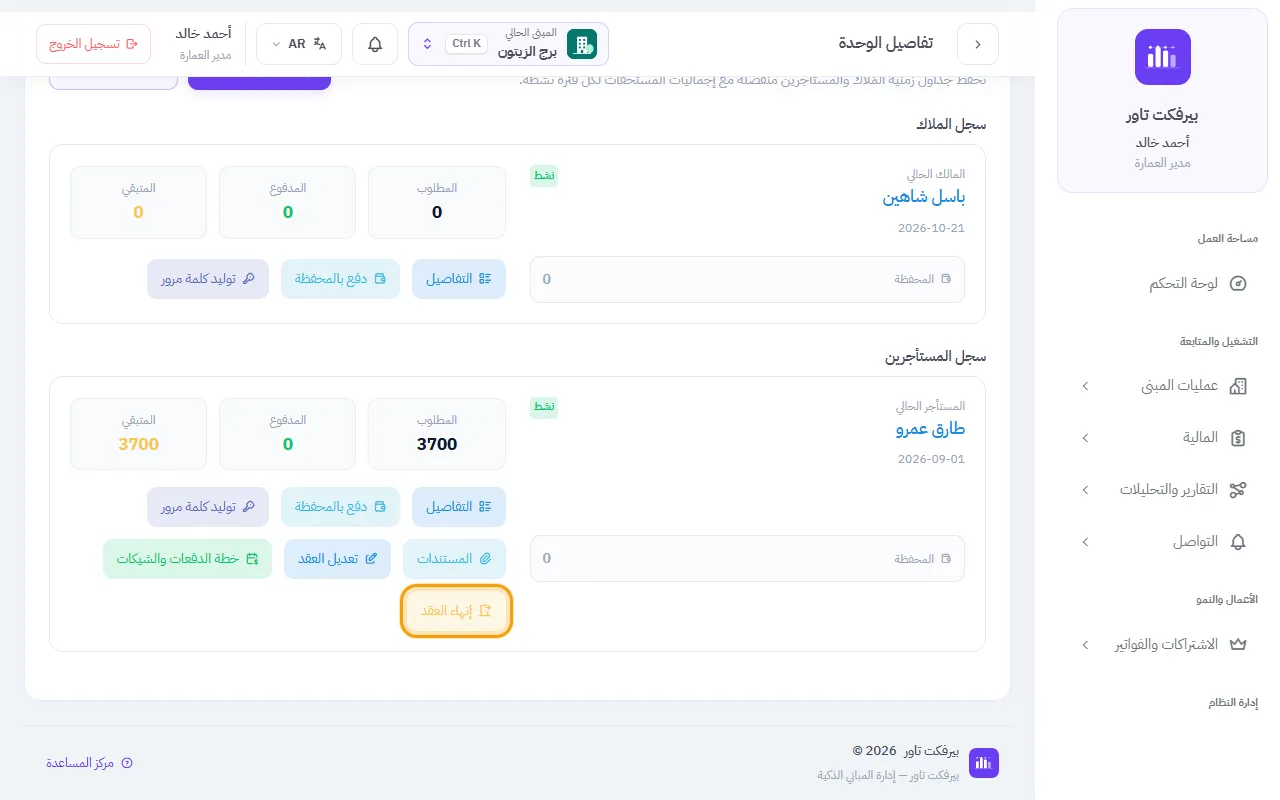
- Open the apartment page ← Ownership and Rent.
- On the current tenant's card, press End Contract.
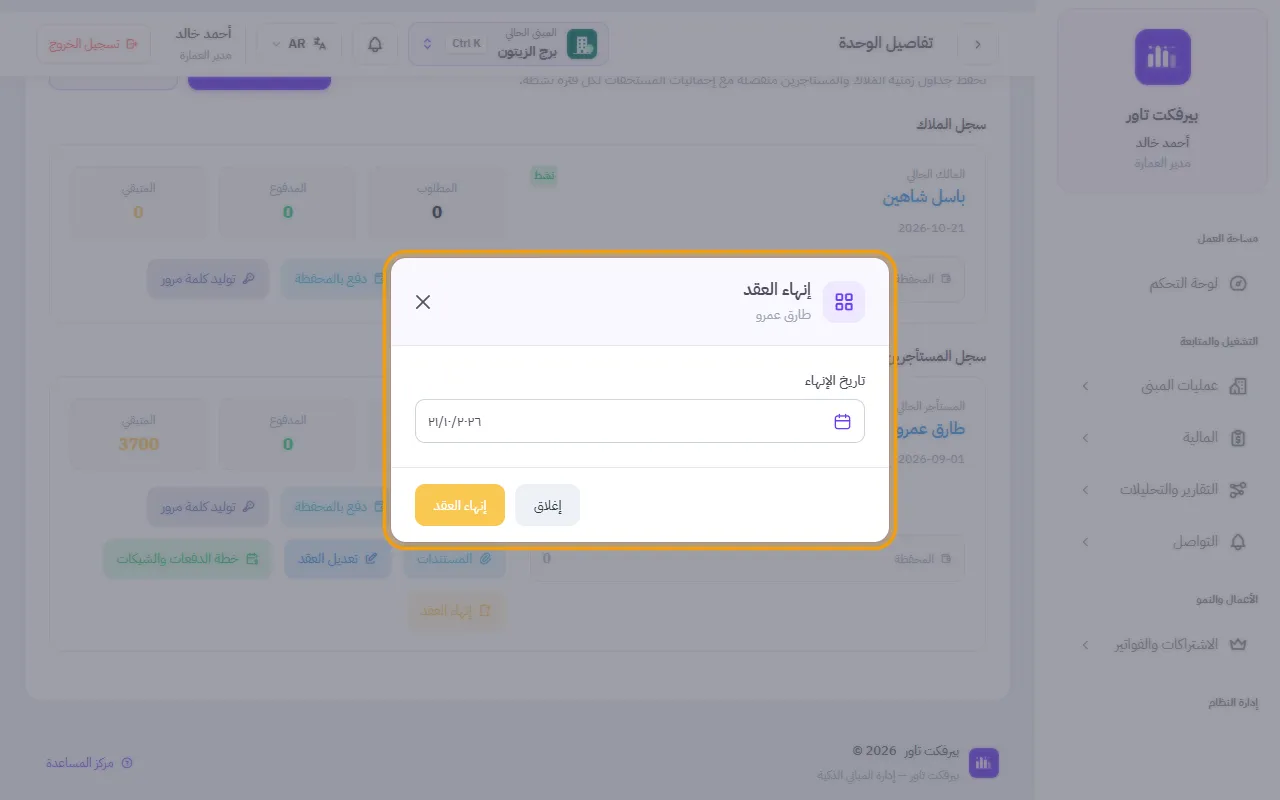
- Choose Termination Date (default is today).
- Click End Contract.
Result
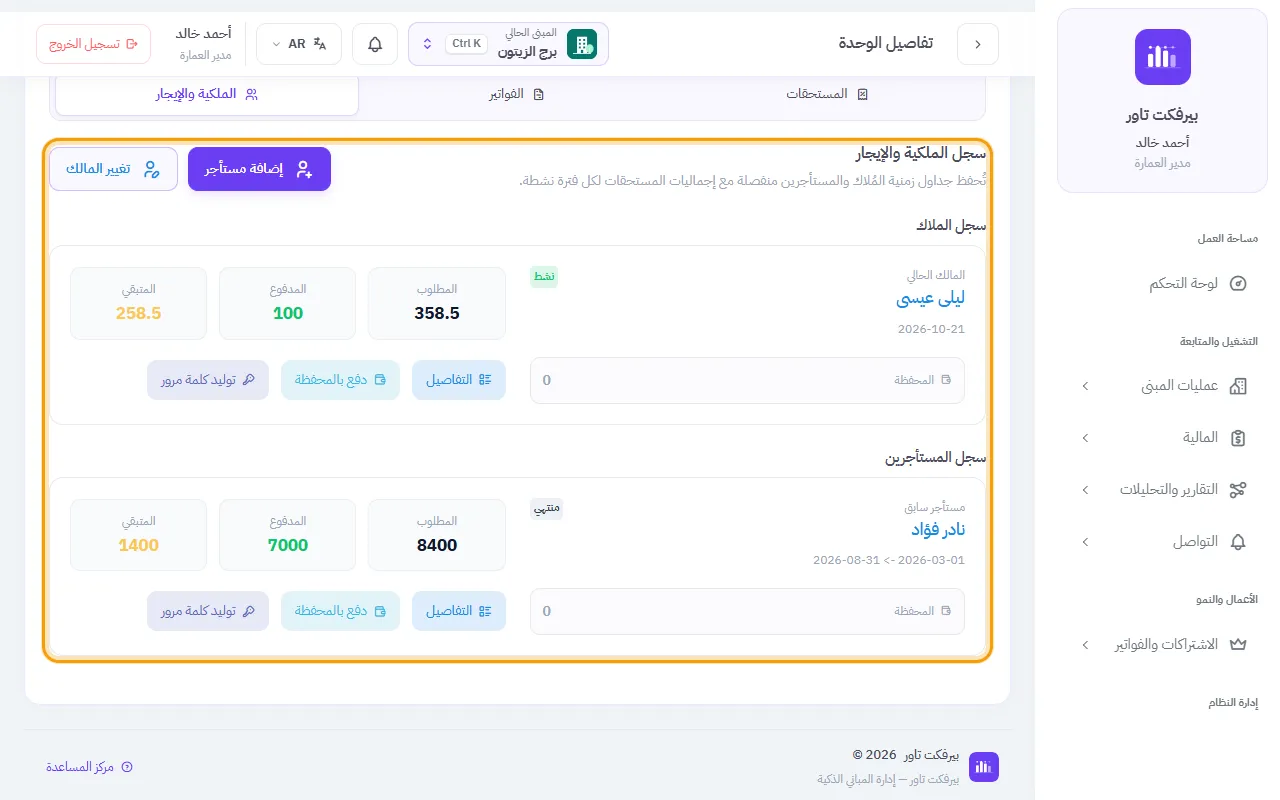
The contract becomes terminated and remains in the Tenants Register along with its period and amounts, and the apartment becomes unrented and ready for a new tenant.
What happens to the next installments?
- Accruals that were previously established beyond the end date and have not been paid are deleted, and their outstanding checks are cancelled.
- Payment exceeding the end date is adjusted to be calculated pro rata up to the end date.
- Any payment due after the end date remains as it is, and a message appears requesting that it be reviewed and settled manually (cancel the payment or return the amount).
Important notes
- When adding a new tenant to a rented apartment, the previous contract can be terminated automatically from the same window.
- If the expiring contract is completely empty (without any amounts), the Delete Empty button appears to delete it; Financial records are never deleted with this procedure.
- The tenant's wallet balance is not affected by termination of the contract.
- If the End Contract button does not appear, you do not have authority — contact your building manager.
-
1Step 1
عندما يخرج المستأجر افتح صفحة الشقة ← تبويب الملكية والإيجار، وعلى بطاقة المستأجر الحالي اضغط إنهاء العقد.
-
2Step 2
اختر تاريخ الإنهاء (افتراضياً اليوم) واضغط إنهاء العقد. الاستحقاقات التي أُنشئت لما بعد التاريخ ولم تُدفع تُحذف وتُلغى شيكاتها المعلّقة، والدفعة التي تتجاوز التاريخ تُحسب بالتناسب حتى يوم الإنهاء. رصيد محفظة المستأجر لا يتأثر.
-
3Step 3
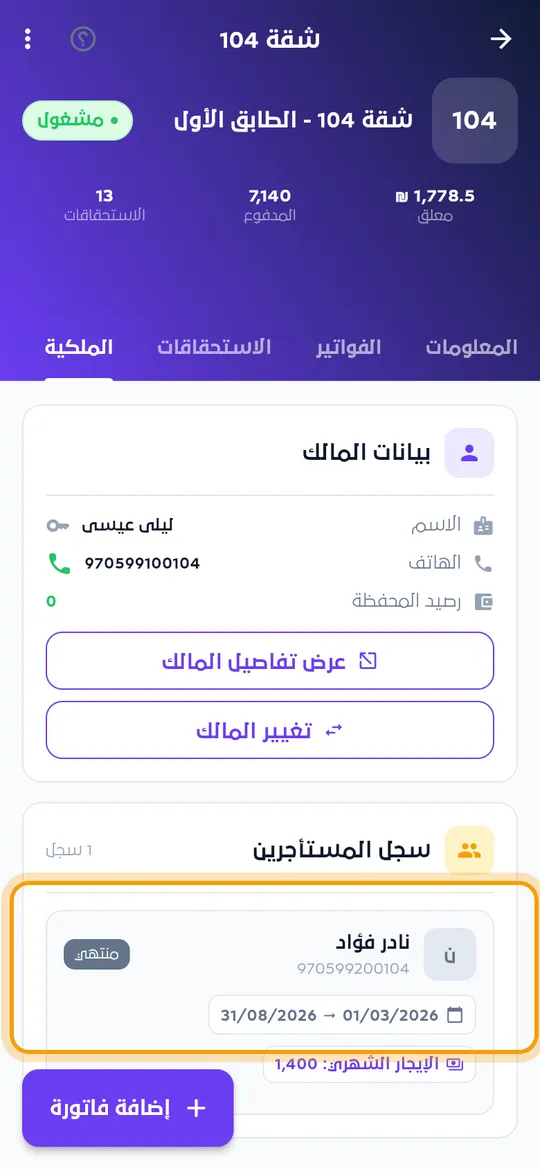
يصبح العقد منتهياً ويبقى في سجل المستأجرين مع فترته ومبالغه، وتصبح الشقة جاهزة لمستأجر جديد. مثال: عقد شقة 104 انتهى في 31 أغسطس.
Who is this guide for?
For the building manager who wants to terminate a mobile lease.
Steps
- From Units open the apartment, then the Property.
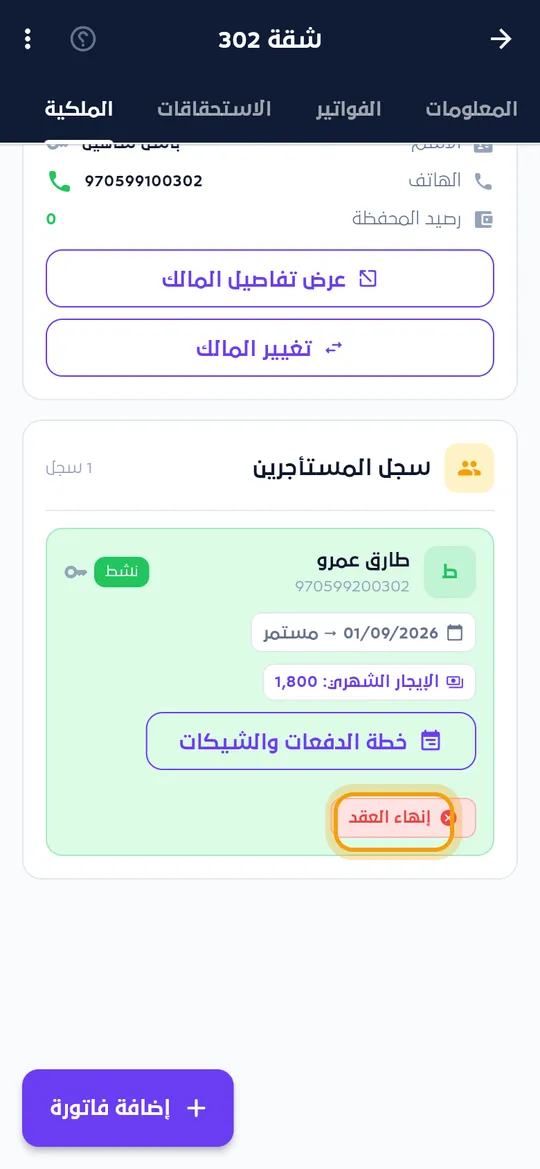
- In Tenants Register, on the current tenant's card press End Contract.
- The message “Do you want to terminate the contract...?” appears, click End Contract to confirm.
Result
The message “Contract has been terminated...” appears, the contract is terminated on today’s date, appears in the Tenant Register as an expired contract, and the apartment becomes available to a new tenant. Unpaid future dues after the end date are deleted and their outstanding checks are cancelled, and payment beyond the end date is calculated pro rata.
Important notes
- If there are payments due after today, they remain as they are and a message appears requesting that they be reviewed and settled manually.
- To record an end date other than today: From the Information tab, click the pencil icon on the Current Tenant card, choose End of Contract then Save. Note: The apartment becomes non-rentable once saved, even if the date is upcoming.
- When adding a new tenant, you can terminate the previous tenant’s contract from the Terminate the previous tenant’s contract for this apartment (if any) option.
- If the End Contract button does not appear, you do not have authority to terminate contracts — contact your building manager.
-
1Step 1
من الوحدات افتح الشقة، ثم تبويب الملكية. في سجل المستأجرين، على بطاقة المستأجر الحالي اضغط إنهاء العقد، ثم أكّد في رسالة «هل تريد إنهاء عقد ...؟».
-
2Step 2
يُنهى العقد بتاريخ اليوم ويظهر في سجل المستأجرين كعقد منتهٍ، وتصبح الشقة متاحة لمستأجر جديد. مثال: عقد شقة 104 انتهى في 31 أغسطس وبقي عليه إيجار شهر.