Who is this guide for?
For everyone using Perfect Tower for the first time: building manager, board member, owner or resident, and guard.
What is Perfect Tower?
Perfect Tower is a platform for managing residential buildings and towers. It brings together in one place everything a building needs: building structure (floors and apartments), landlords and tenants, funds (funds, dues and invoices), communication with residents, complaints and maintenance.
What can you do from dashboard?
- Building Operations: Floor and apartment management, security, board, complaints and maintenance.
- Finance: funds, building currencies, amounts due, invoices, checks and landlord balances.
- Analytics and reports: Printable financial and operational reports.
- Communication: Notifications, SMS, and notification preferences.
- Subscriptions and Bills: Track your package from My Plan.
Who sees what?
Menus appear to you based on your role in the building. The building manager sees management tools, while the resident or owner sees My Dashboard, which displays only his apartments, dues, and invoices.
Important notes
- The same account works in dashboard and in the mobile app.
- If you do not see a specific list, you do not have access to it — contact your building manager.
-
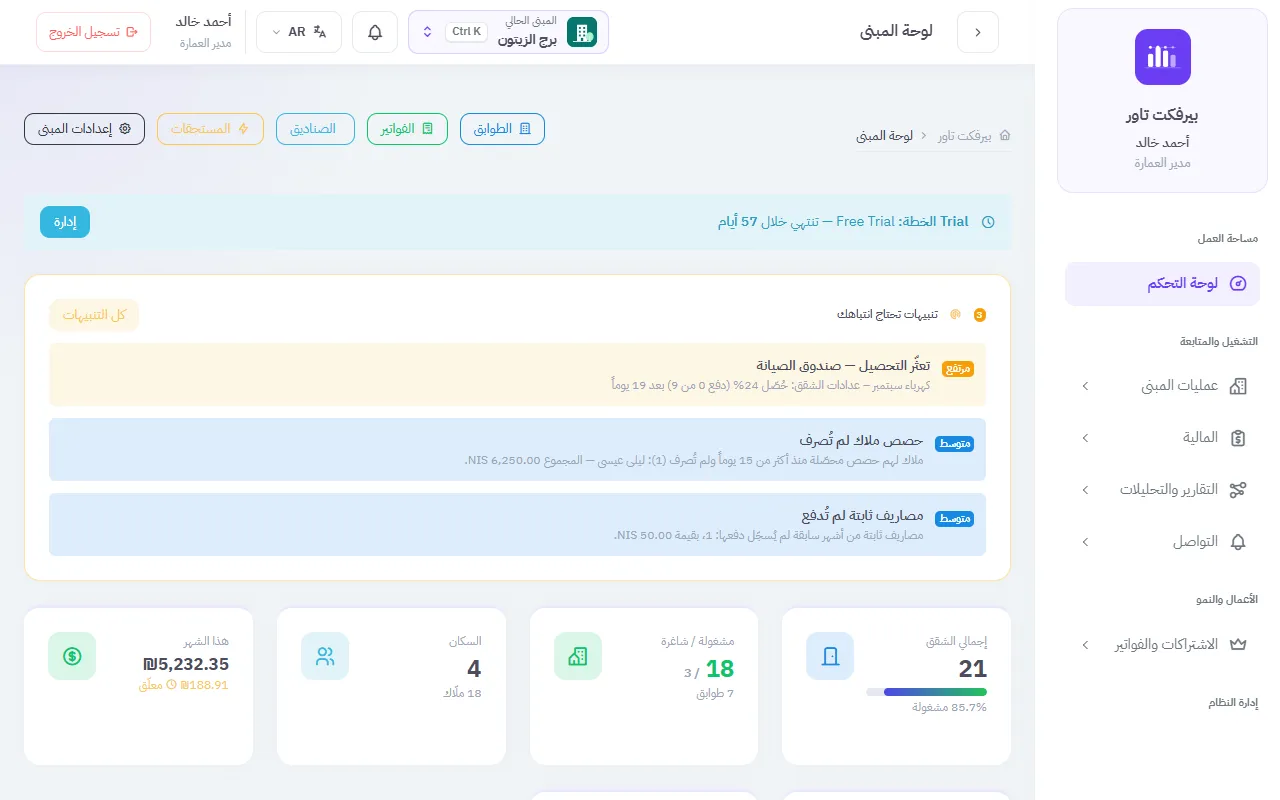
1Step 1
بعد تسجيل الدخول تفتح لوحة التحكم: ملخص المبنى في مكان واحد — الشقق والسكان، والتحصيل، والمتأخرات، وأرصدة الصناديق، وخطوات إعداد المبنى.
-
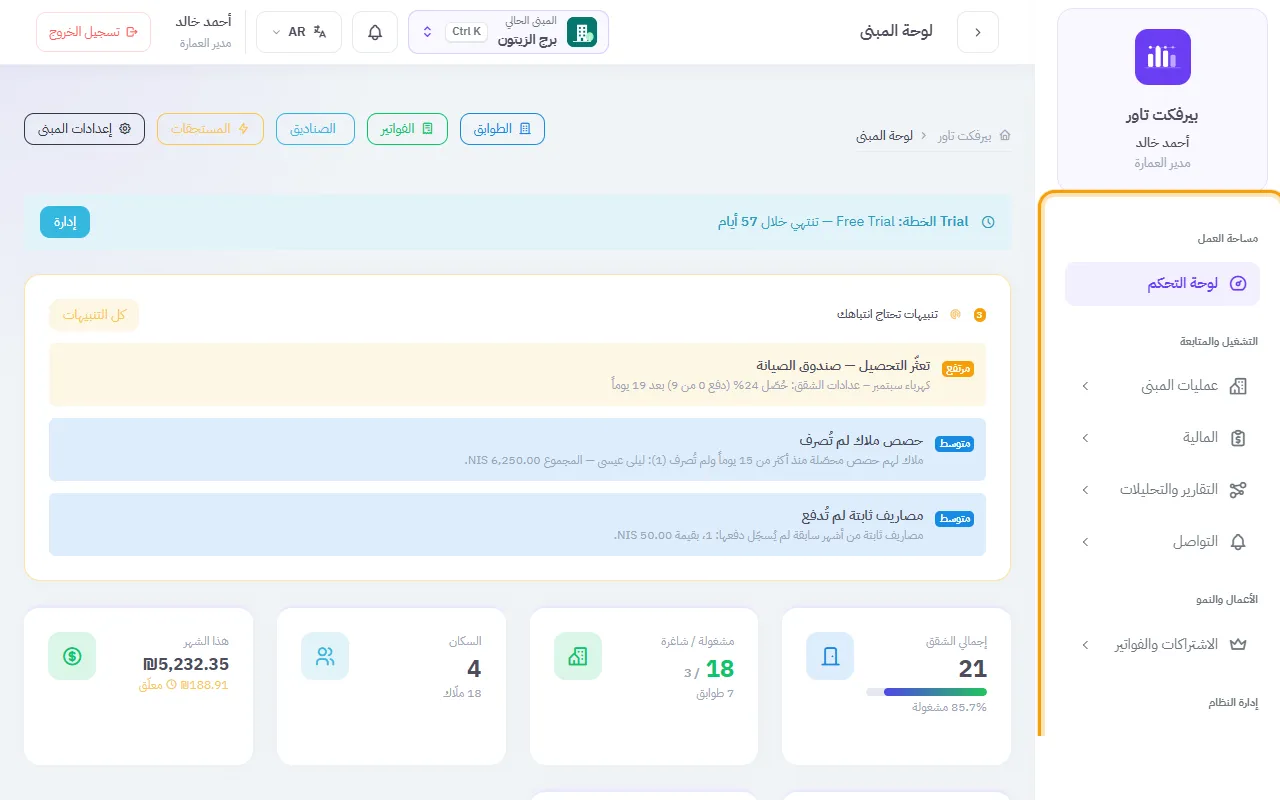
2Step 2
القوائم الجانبية تجمع أدوات المبنى: عمليات المبنى (الطوابق والحراسة ومجلس الإدارة والشكاوي والصيانة)، والمالية (الصناديق والعملات والمستحقات والفواتير والشيكات)، والتقارير والتحليلات، والتواصل، والاشتراكات والفواتير.
-
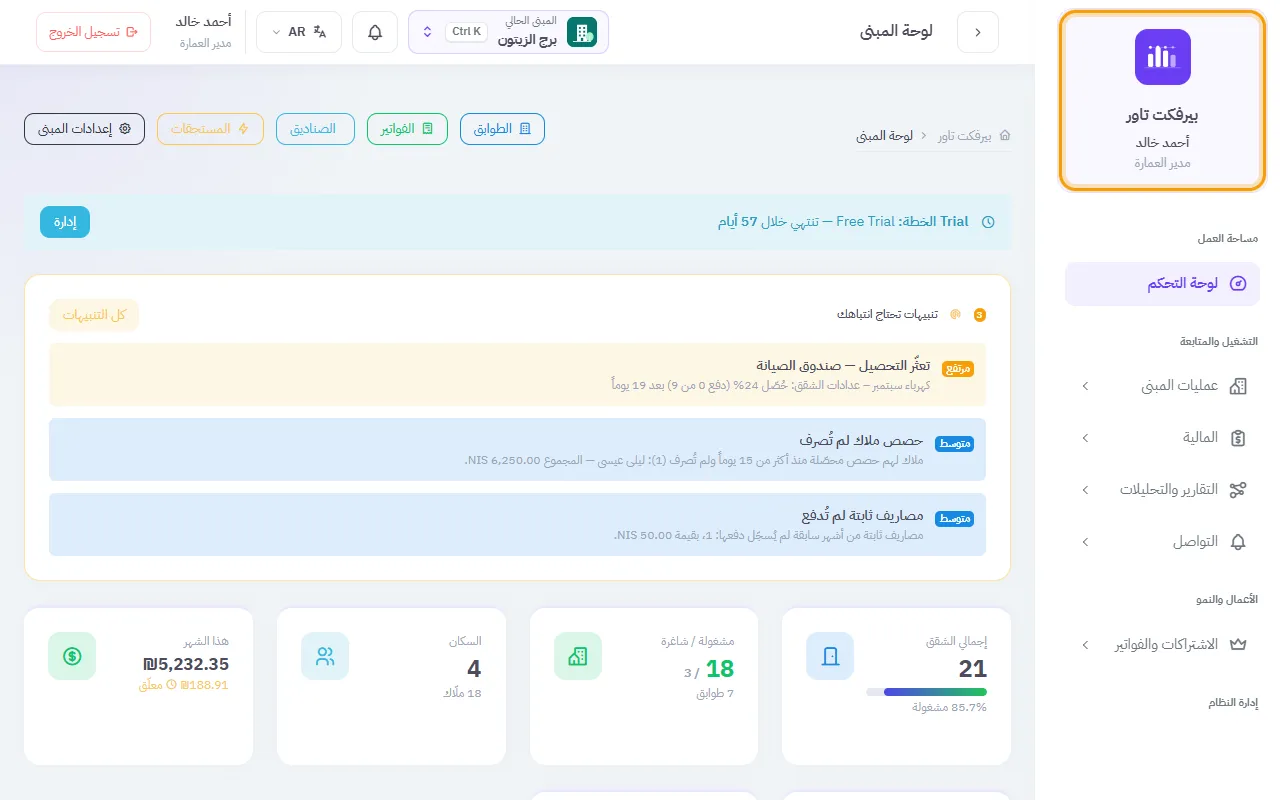
3Step 3
تظهر لك القوائم حسب دورك في المبنى: تحت الشعار اسمك ودورك (مثل مدير العمارة). نفس الحساب يعمل في لوحة التحكم وفي تطبيق الجوال.
Who is this guide for?
For everyone who has downloaded the Perfect Tower application: building manager, resident or owner, and guard.
What is Perfect Tower?
A mobile application for managing residential buildings: it follows the building’s dues, bills, units, and funds, receives notifications, and sends complaints and suggestions to management.
Where do you find everything?
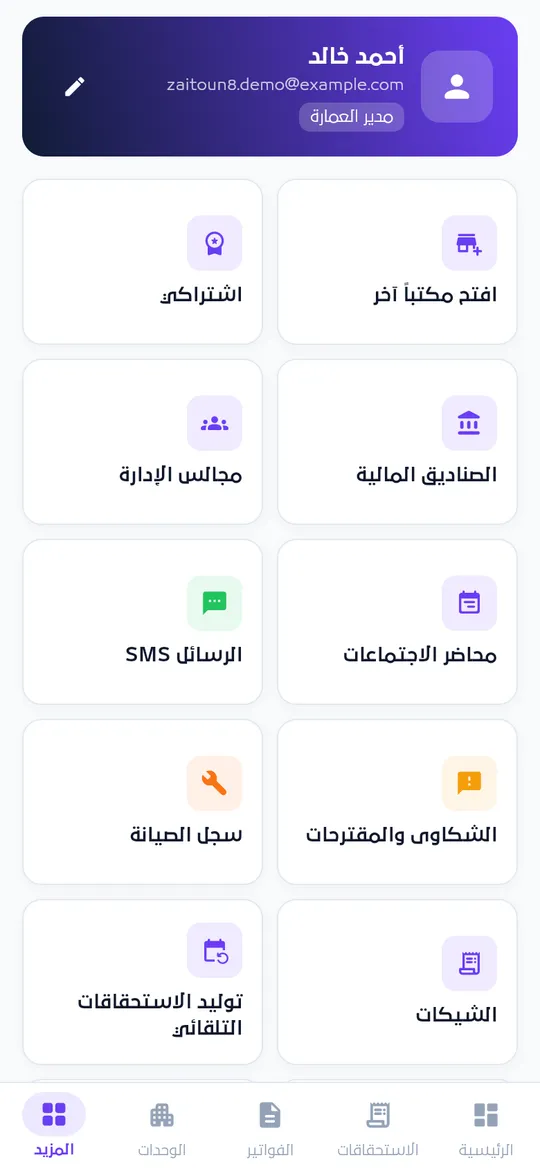
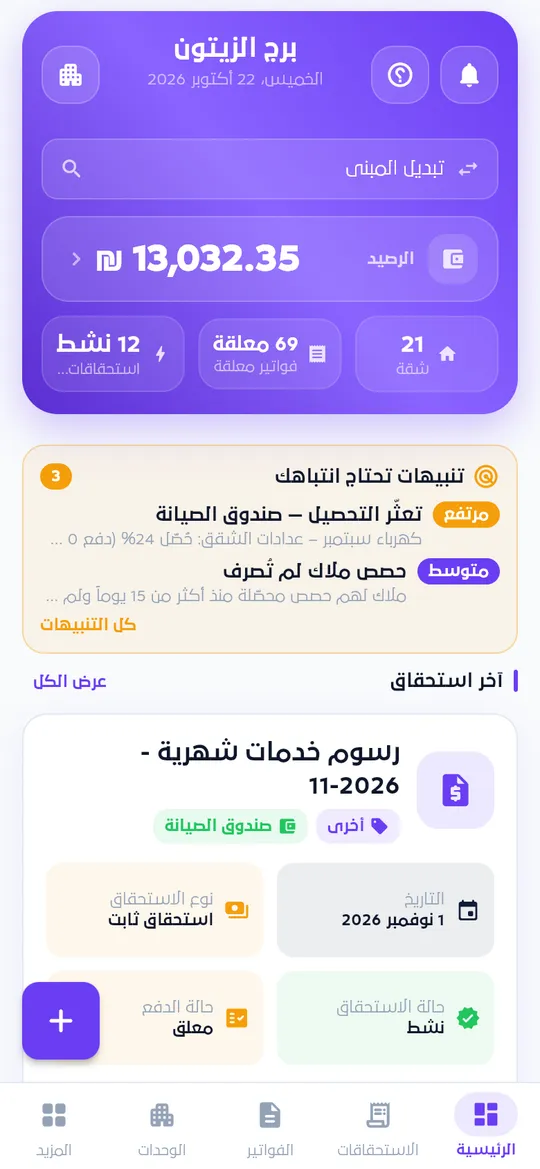
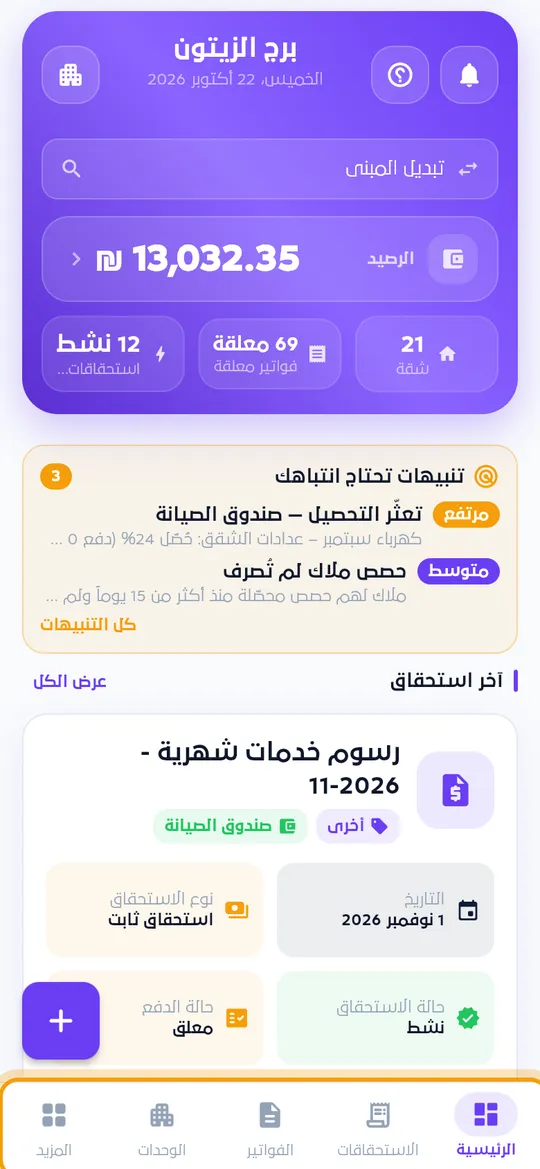
- Home: Building summary, latest dues, invoices and complaints, with fast action.
- Charges: Amounts required for apartments and residents.
- Invoices: recorded payments and expenses.
- Units: The building’s floors and apartments.
- More: Other tools such as Settings, Notifications, My subscription, and Delete account.
Important notes
- What appears to you in the application depends on your powers in the building.
- Some advanced settings are available in the dashboard on the web with the same account.
-
1Step 1
بعد الدخول تفتح الرئيسية: ملخص المبنى وآخر الاستحقاقات والفواتير والشكاوى، مع إجراءات سريعة.
-
2Step 2
في الأسفل خمسة تبويبات: الرئيسية، الاستحقاقات (المبالغ المطلوبة على الشقق والسكان)، الفواتير (الدفعات والمصاريف)، الوحدات (طوابق المبنى وشققه)، والمزيد لباقي الأدوات.
-
3Step 3
ما يظهر لك يعتمد على صلاحياتك في المبنى، وبعض الإعدادات المتقدمة متاحة في لوحة التحكم على الويب بنفس الحساب.