Who is this guide for?
For the building manager who recorded a payment in error, or who deemed that a badge was entitled to repair.
Case 1: Payment recorded in error
Example: I recorded 20 dinars for maintenance on apartment 102 instead of 101, or I wrote 200 instead of 20.
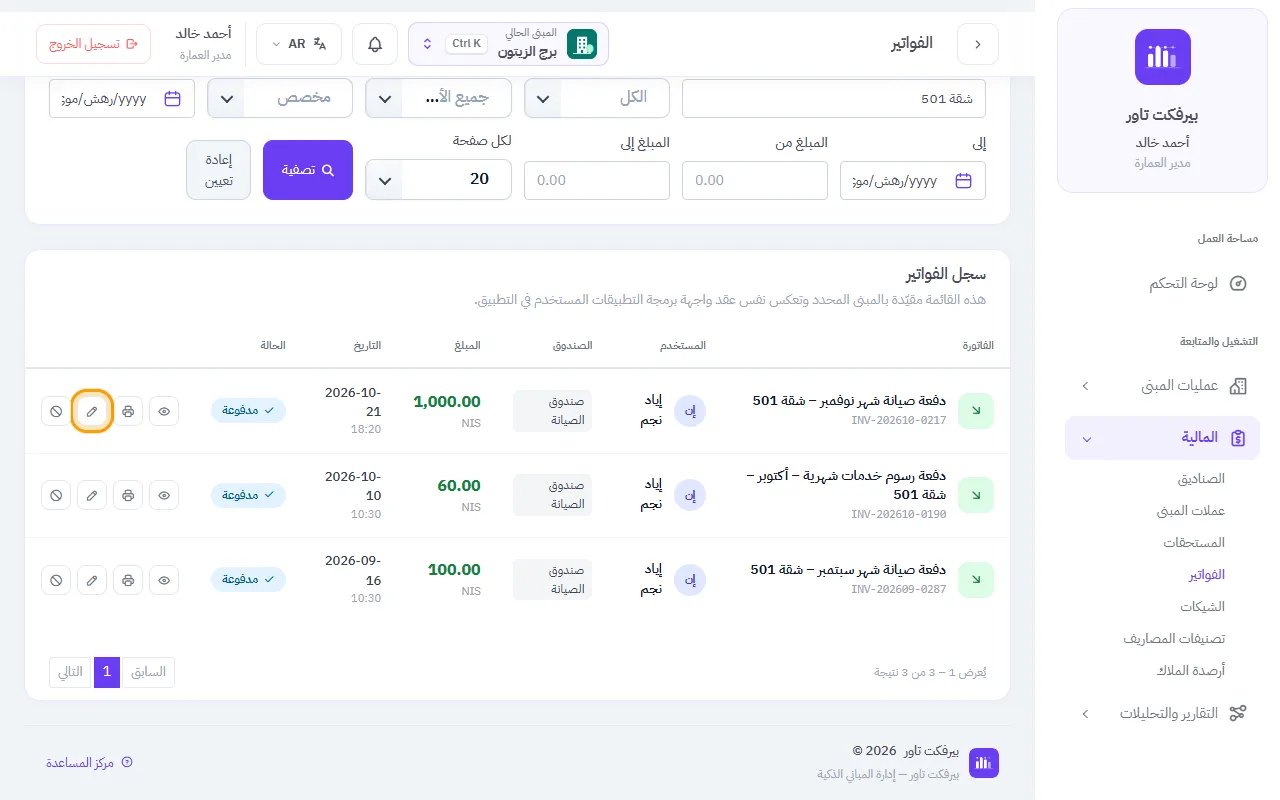
- From Finance ← Invoices Find the payment invoice by resident name or statement.
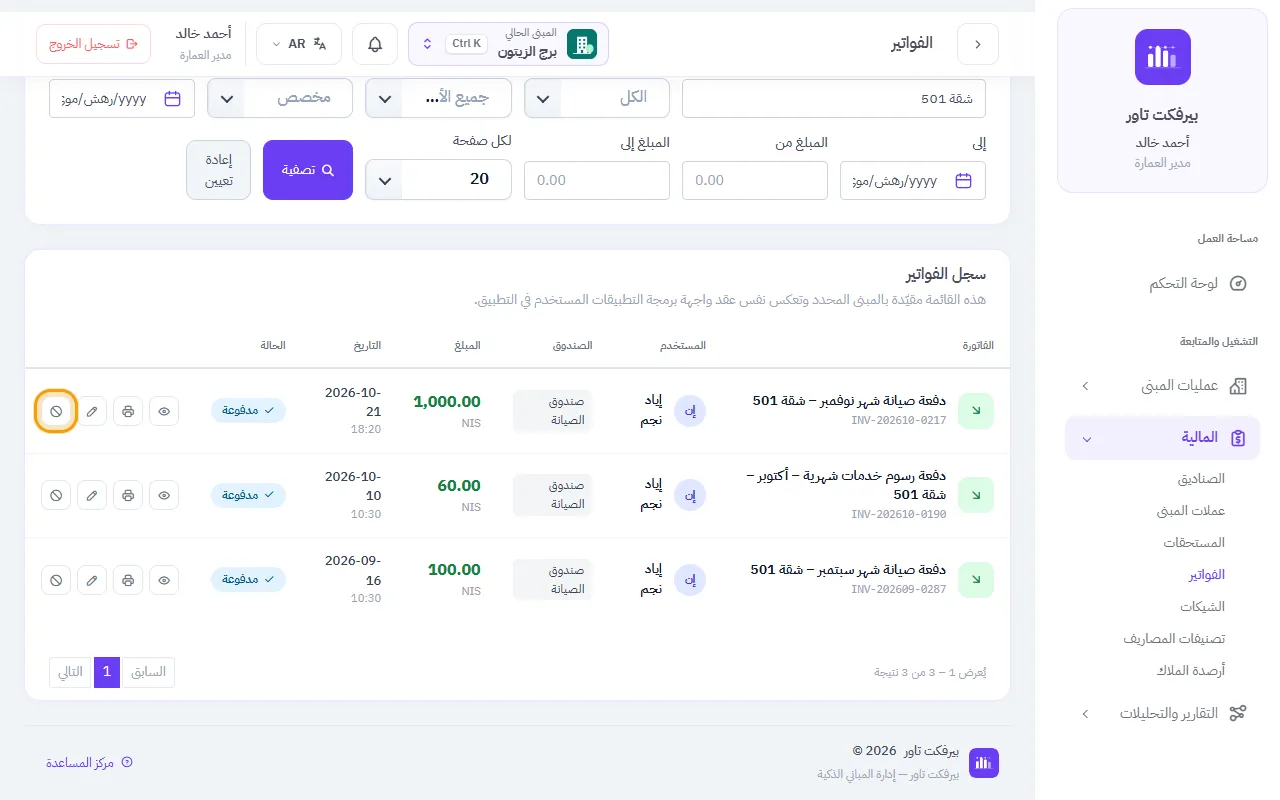
- Click the Cancel icon and confirm.
- Record the correct payment again with the Record payment button on the correct resident's card.
Upon cancellation, the charge returns to Unpaid or partially paid and the fund balance returns to what it was.
Second case: “Repair needed” badge
It means that a resident appears to have paid, but there is no active bill covering this amount, most likely because his bill was canceled in the past.
- From Charges click Edit on the charge marked with the badge.
- On the resident card you will find two buttons with the value of the difference, example 20:
- Undo Unpaid: Select it if the resident has not already paid. The remaining 20 will be returned without any invoice.
- Repair: Select it if the resident has already paid. The system generates an income invoice for the amount and increases the fund balance by 20.
- Confirm selection.
Important notes
- Check with the resident before choosing: Repair adds money to the fund, and retreat restores the claim on it.
- The Repair button is executed immediately without a confirmation message.
- The invoice cannot be permanently deleted, only canceled.
- These tools are available from the web panel. From the application you can cancel the invoice only.
-
1Step 1
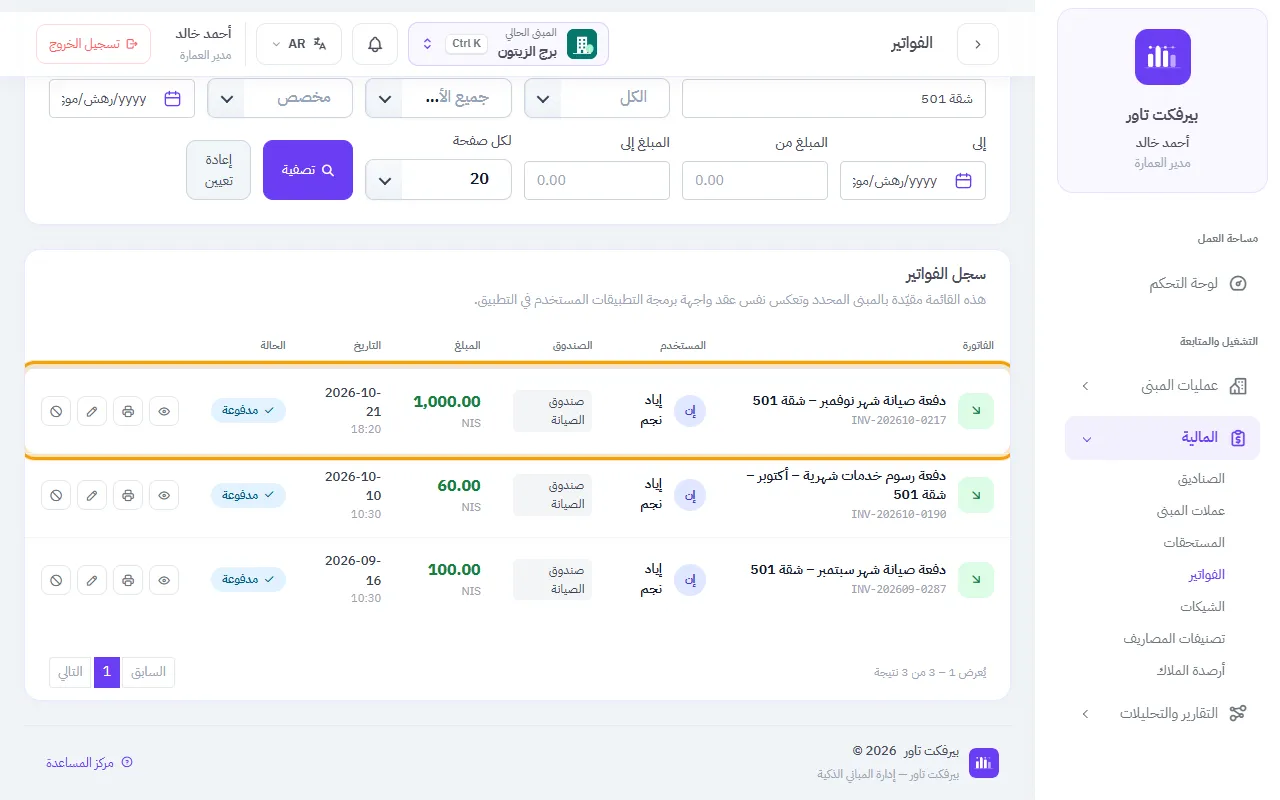
إذا سجّلت دفعة بالخطأ (مبلغ خاطئ أو ساكن خاطئ) ابحث عنها في المالية ← الفواتير. مثال: دفعة صيانة نوفمبر لشقة 501 كُتبت 1,000 بدل 100، فسدّدت مستحقاته المفتوحة وذهب الباقي 740 إلى محفظته.
-
2Step 2
اضغط إلغاء في صف الفاتورة وأكّد: يُعكس أثرها كاملاً — تعود الاستحقاقات غير مدفوعة، ويُسحب ما أُضيف للمحفظة، ويتعدّل رصيد الصندوق. إذا كان الساكن صرف من ذلك الرصيد يحذّرك النظام أن محفظته ستصبح سالبة ويطلب تأكيداً.
-
3Step 3
ثم سجّل الدفعة الصحيحة (100) من جديد. لتصحيح البيان فقط استخدم تعديل سريع خلال 24 ساعة. وإذا ظهر على ساكن في الاستحقاق زر تصحيح الدفعة أو التراجع لغير مدفوع فهذا يعني أن حالته «مدفوع» بلا فاتورة فعّالة (عادةً أُلغيت فاتورته): الأول ينشئ الفاتورة الناقصة، والثاني يعيده غير مدفوع.